Article
Home Design 3D alternative: draw rooms or walk a floor plan?
Compare Home Design 3D with Home 3D Studio for drawing, mobile use, 3D visits, furniture and price, then choose how to explore your floor plan.
Home Design 3D is an app by Home Design 3D Srl, a separate company from Home 3D Studio. If you want a Home Design 3D alternative for a plan you already have, decide whether you would enjoy drawing the rooms yourself or would rather upload the plan image and walk through the result.
In short: Home Design 3D suits someone who wants to draw rooms on a phone, tablet or computer, furnish them and browse ideas from its community. Home 3D Studio suits someone with a clear floor plan picture who wants the walls read into a walkable 3D home in a browser.
The similar names can make the products easy to confuse. Their starting points are distinct. Home Design 3D gives you a drawing space: place rooms and walls in 2D, then see the project in 3D. Home 3D Studio reads a picture of an existing floor plan before you explore and adjust the home. Neither route makes a rough source drawing into verified measurements.
Home Design 3D alternative for a plan you already have
Home Design 3D is available on iOS, Android, PC and Mac. You draw walls and rooms, furnish from a library of over 2,500 customisable items and share with its community. Its site does not state that you can import an image of a plan for automatic conversion. Begin with drawing if you want to use that app to reproduce a plan.
Home 3D Studio accepts a JPG, PNG or WebP picture of one floor, up to 25 MB. Its AI reads the walls, doors, windows and rooms. In about 1–3 minutes, you can select the entrance, check any dimensions it misread and walk through the home in a recent browser. A brochure plan, old blueprint scan, straight-on phone photo or tidy hand sketch with closed rooms can be a starting point. You can edit walls later, though it is not a blank-canvas plan editor.
The distinction is practical. Drawing gives you direct control while you create the plan. Image reading gets you to an initial 3D interpretation sooner when you already have a legible source. If you are comparing homes from listings, that may be the first question. If you are inventing a new room arrangement, the drawing work is likely the point.
Home Design 3D vs Home 3D Studio
Prices are at the time of writing (October 2026) and may change. Home Design 3D's verified listing says free to start, paid upgrades in the app; it does not give a verified upgrade price here.
| Question | Home Design 3D | Home 3D Studio |
|---|---|---|
| How do you begin? | Draw rooms and walls in 2D | Upload a clear picture of one floor for AI to read |
| Devices | iOS, Android, PC and Mac apps | Recent browser on phone, tablet or computer |
| 3D experience | View the design in 3D; the site's “visit your project” feature is marked iOS only | Walk at eye level or use cut-away Overview in the browser |
| Furniture | Over 2,500 customisable items | Furniture suggested by room type; 75 items in the Add catalogue |
| Community | Share with a large user community and browse ideas | Share your design by link or embed it on a page |
| Sun and room light | See their site | Set city or coordinates, date, local time and north; adjust lamps |
| Price | Free to start, paid upgrades in the app | Samples free with every tool; own plan 20 credits, with 50 for €4.99 or 120 for €9.99; Plus or Pro subscription from €19.99 a month, billed yearly |
The table is a way to pick a workflow, not a ranking of the quality of the finished rooms. A hand-drawn design can represent exactly what you meant to place. An automatically read layout still needs a check against the original image.
When to choose Home Design 3D
Choose Home Design 3D if drawing on a phone or tablet is how you want to think through a space. You can lay out the walls yourself, see them in 3D and furnish the result from a much larger catalogue than Home 3D Studio's. If you want inspiration as well as an editor, its community gallery is another reason to start there.
It is also a sensible choice when there is no usable floor plan image. You can begin by making the layout rather than preparing an upload. The app is easy to start, with a free download and paid upgrades in the app. Check the current upgrade terms and the features on your device if those affect your project.
If a particular kind of visit matters, note the platform detail before you choose: Home Design 3D's site marks “visit your project as if you were there” as available on iOS only. Its general 3D design view is separate from that statement. Home 3D Studio's Walk mode works in a recent browser on phones, tablets and computers.
When to choose Home 3D Studio
Choose Home 3D Studio when you already have a floor plan and mainly want to test its layout. Start at the entrance and follow the route to a bedroom or kitchen. Switch to Overview to see how the rooms connect from above. In Rooms, jump directly to a room and see its floor and wall areas. That combination helps you move between the overall plan and a lived-in eye-level view.
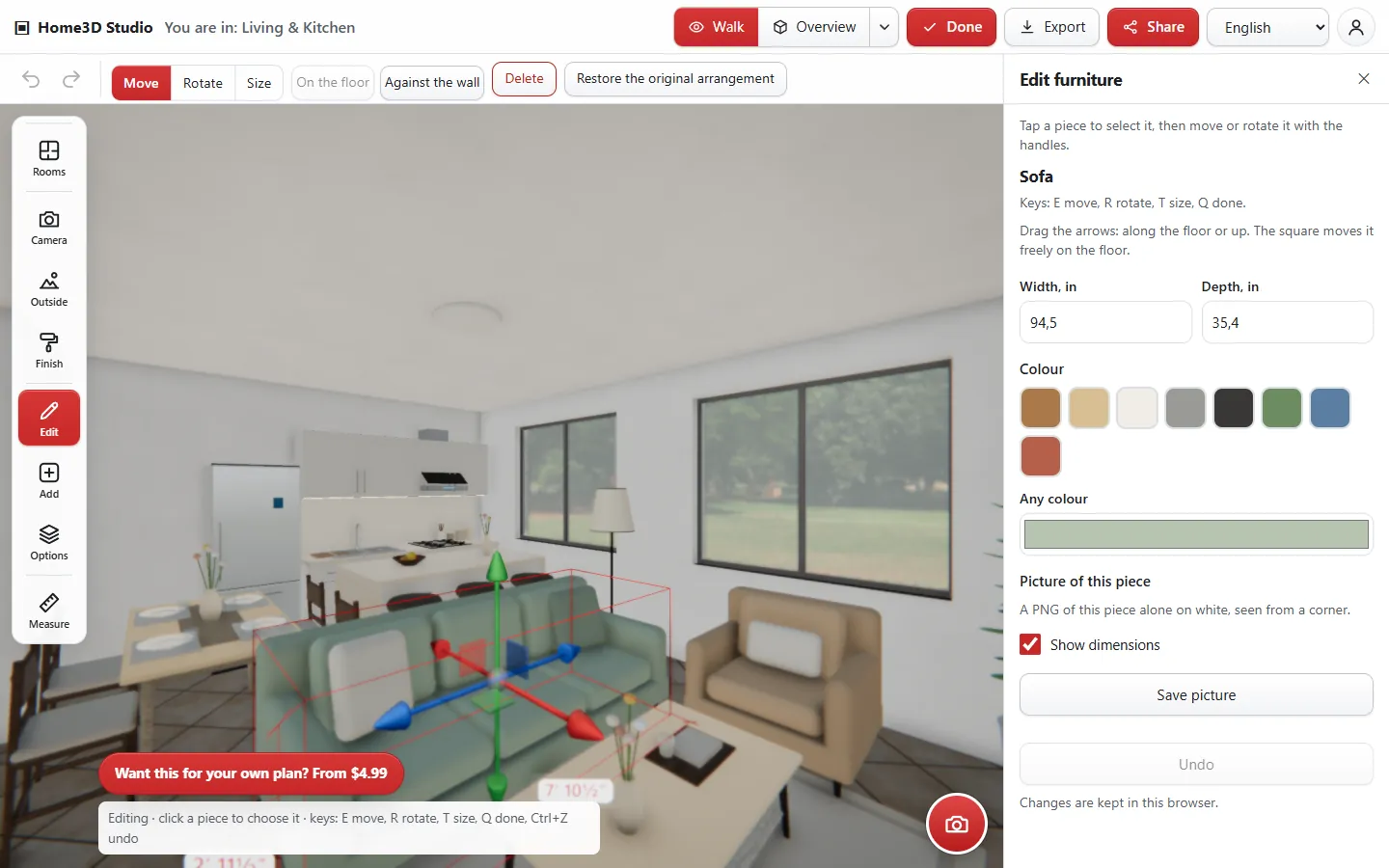
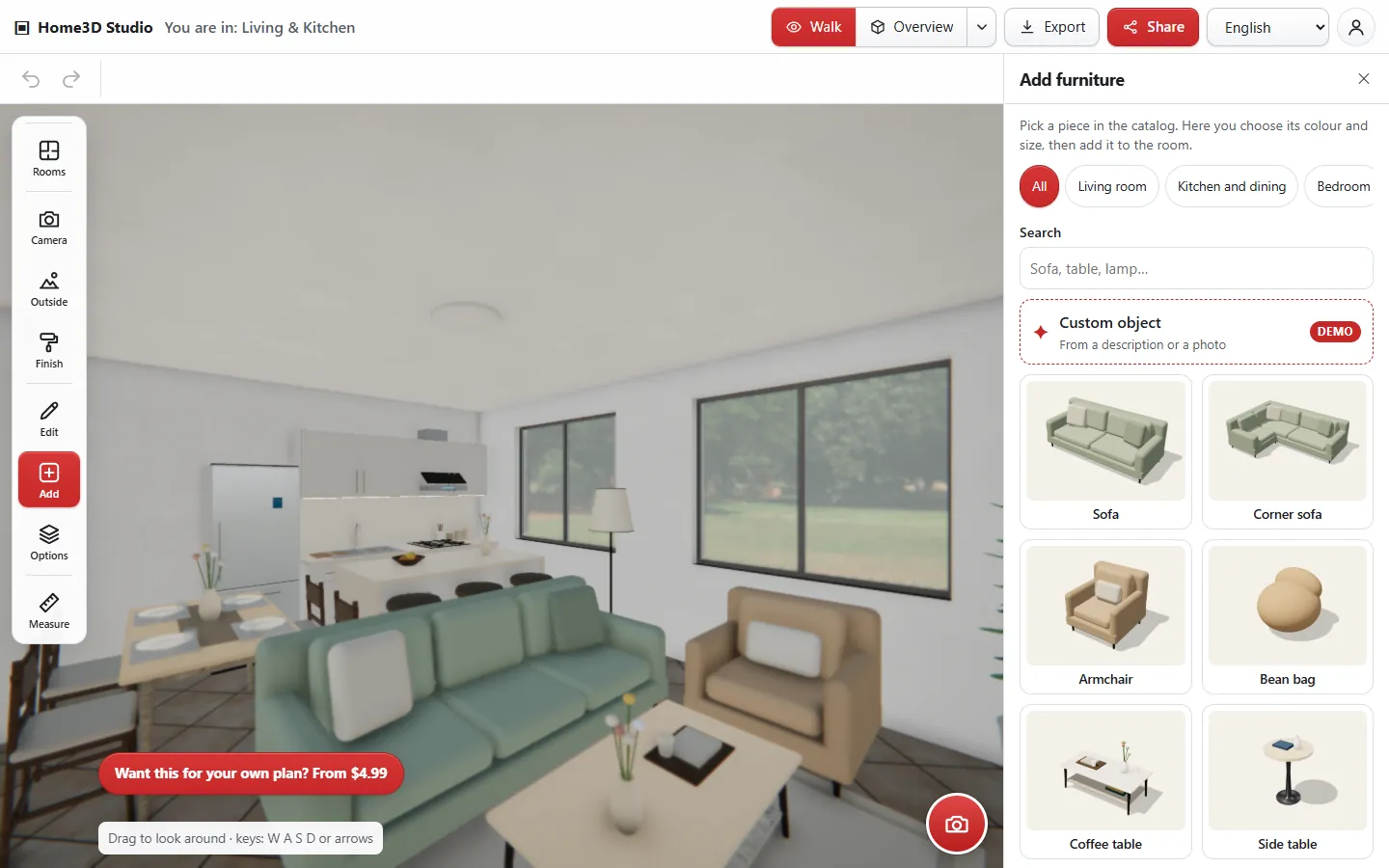
The initial furniture is a suggestion, not a claim about what will fit in the real property or come with it. Use Edit to move, turn, resize, recolour or delete a piece. Use Add if you want to try another item from the catalogue. You can also change finishes and compare saved design versions. These are useful ways to ask “what if?” without presenting a proposed layout as a measured specification.
For daylight questions, set the location, date, local time and north direction in Outside. Share a link that keeps those Sun settings so someone else can see the same lighting. See walking and controls and the Sun tool guide for the steps.
The 3D result follows the source drawing. Verify room shapes, openings and dimensions after upload. It is a visualisation, not a survey, so do not use it for construction measurements. A PDF works too: choose the page with the plan. If the plan shows several floors together, crop to one floor before uploading.
A useful way to decide
Try the task that matters most on a small example. If you want to design a room from an empty starting point, put a few walls and pieces of furniture into Home Design 3D. If you want to understand a published floor plan, walk a Home 3D Studio sample first and see whether the eye-level route answers your question.
You may also use the approaches in sequence. Draw a plan in a design app when you need direct control. If you later have a clear, flat image of that plan, Home 3D Studio can read the image as a separate 3D interpretation. Check the interpretation against the drawing. There is no stated official connection between these products.
For a broader set of drawing and image-to-3D routes, see floor plan to 3D software choices. The right starting point depends on whether you need to create the plan or understand one that is already in front of you.
Try walking and changing a room
- Open the free family house sample; no sign-up is needed.
- Use Overview to locate the living area and a bedroom, then switch to Walk and travel between them.
- Select a piece of furniture in Edit. Move or turn it and walk the route again to see what changes.
- Open Add if you want to try another piece, then restore the original arrangement if you prefer it.
- For your own home, upload a clear plan image, choose the entrance and correct any misread dimensions first.
Every tool is available on the free samples. Credits for your own plan do not expire, and they come back if a plan cannot be read.
Frequently asked questions
Is there a Home Design 3D alternative that reads an existing floor plan?
Yes. Home 3D Studio reads a JPG, PNG or WebP picture of one floor and builds a walkable 3D home in about 1–3 minutes. Home Design 3D's site does not state that you can import a plan image for automatic conversion, so there you draw the rooms yourself. Check the result against your original image.
What is the difference between Home Design 3D and Home 3D Studio?
They start from different places. Home Design 3D gives you a drawing space where you place rooms and walls in 2D and then see them in 3D. Home 3D Studio reads a picture of an existing floor plan first, then lets you walk and adjust the home in a browser. They are separate companies.
Is Home 3D Studio affiliated with Home Design 3D?
No. Home Design 3D is an app by Home Design 3D Srl, a separate company from Home 3D Studio, and its name is a trademark of its owner. There is no stated official connection between the products. You can use them in sequence, but that is your own workflow: draw in one, then upload a clear image of the plan to the other.
Can I draw a floor plan from scratch in Home 3D Studio?
No. Home 3D Studio is not a blank-canvas plan editor; it starts from a picture of a plan you already have. After the plan is read, you can edit walls, move furniture and change finishes. If you want to invent a layout from an empty starting point, a drawing app such as Home Design 3D is the more direct route.
Can I walk through my project in Home Design 3D?
It depends on the platform. At the time of writing, Home Design 3D's site marks visiting your project as if you were there as available on iOS only, while its general 3D design view is separate. Check current details for your device. Home 3D Studio's Walk mode works in a recent browser on phones, tablets and computers.
How does the price compare with Home Design 3D?
Home 3D Studio samples are free with every tool, and reading your own plan costs 20 credits. Credits come in packs: 50 for €4.99 or 120 for €9.99, and they do not expire. Home Design 3D is free to start with paid upgrades in the app; no upgrade price is verified here. Prices are at the time of writing.
See it in 3D
Open a sample design and walk through it, check the sun, set the hour and watch the lamps come on. It is free, in your browser, with nothing to install.
Or open a sample directly: 1920s teacher's cottage · Two-bedroom apartment
Home Design 3D makes sense when drawing and browsing ideas are part of the pleasure of designing. Home 3D Studio is useful when the plan exists and you want to walk it, test furniture and check light before making a decision.
Home Design 3D is a trademark of its owner. Home 3D Studio is not affiliated with it.