Article
Virtual tour in Photoshop: what it can do
Can you make a virtual tour in Photoshop? What an image editor does in a photo tour, what it leaves to other tools, and a camera-free way to start from a plan.
If you search for how to create a virtual tour in Photoshop, you probably have photos or panoramas of a home and want to turn them into something a visitor can click through. This page explains where Photoshop fits in that job, what it leaves to other tools, and what to do when you have no photos yet, only a floor plan. We have not tested Photoshop for this article. It describes Photoshop as an image editor and makes no claim about the features of a particular version, so check Adobe's current help for those.
In short: Photoshop edits pictures. A photo-based virtual tour also needs the pictures themselves, a way to link them into a route and a place to publish it. If you have no photos, or the home is not built yet, you can start from a floor plan instead and get a 3D model to walk through, with no camera.
What does Photoshop do in a virtual tour?
Photoshop is Adobe's image editor. In a tour made from photographs it is used on the pictures: correcting colour and brightness, removing small distractions, and preparing images at the sizes the tour needs. It is a step in the production, not the tour builder.
Turning edited pictures into a tour takes more than editing:
- The pictures. Someone has to visit the property and take them, often as 360° panoramas, which means a suitable camera or a phone method and a stitching step.
- The links. A tour is a set of scenes joined by clickable points. That linking is done in a tour tool or a platform, not in an image editor.
- The publishing. The finished tour needs a page, a link or an embed that opens on phones and computers.
So the question is less "can Photoshop make a tour?" and more "which tool joins and publishes my pictures?" If your goal is a photographic record of a home that already exists, a photo-based tour is the natural route, and an image editor is one of its tools.
When you have no photos: start from the floor plan
A photo tour needs a home you can enter and photograph. For an unbuilt flat, a home that is being renovated, an empty room or a property in another city, you may only have the floor plan. Home 3D Studio takes a clear image of that plan, reads the walls, doors, windows and rooms, and builds a furnished 3D home you can walk through in the browser. Nothing has to be photographed and nothing has to be edited.
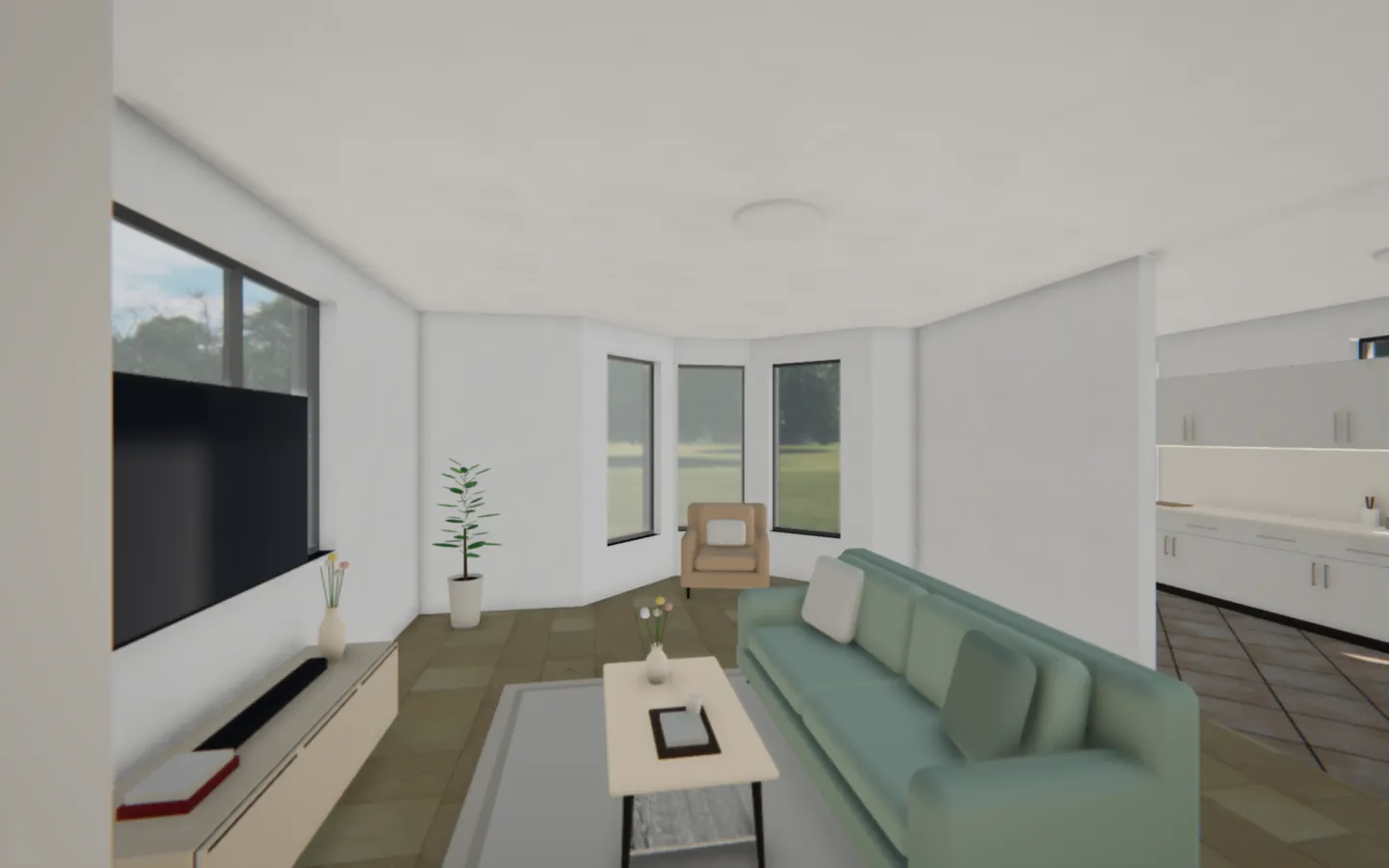
It is a visualisation based on the drawing. It does not show the real finishes or condition of the property, and its sizes are only as reliable as the plan.
Photo tour or plan-based tour?
| Question | Photo-based tour, edited in Photoshop | Plan-based 3D walkthrough |
|---|---|---|
| What do you start with? | Photos or panoramas taken on site | An image of one floor plan |
| Must the home exist? | Yes, and someone must photograph it | No |
| What does the visitor see? | The real rooms as photographed | A furnished 3D visualisation of the drawing |
| Which tool joins the scenes? | A separate tour tool or platform | The walkthrough itself |
| Publishing | Depends on the tool you choose | Link, optional password and embed code |
| Real condition and finishes | Shown by the photos | Not shown; keep real photos for them |
Many listings use both: photographs for the real condition and a plan-based walkthrough for the layout. The longer guide to a virtual tour without a 360° camera explains the plan-based route step by step, and the comparison with Matterport covers scanned tours of existing homes.
Make a plan-based tour in minutes
- Open the free corner house sample with no sign-up.
- Use Overview to see the layout from above, then Walk to follow the route from the hall to the living room.
- In Outside, use Sun to set the place, date and hour and see the light in the rooms.
- Use Share to copy a link or an embed code.
- When you are ready, upload your plan: reading a clear JPG, PNG or WebP image takes about 1–3 minutes.
Try every tool now on a free sample, with no sign-up; at the time of writing, your own plan uses 20 credits, with 50 credits for €4.99.
Frequently asked questions
Can you make a virtual tour in Photoshop?
Photoshop is an image editor, so it is used to edit the photos and panoramas of a tour rather than to build the tour itself. Joining scenes with clickable links and publishing the result is normally done in a tour tool or platform. Check Adobe's current help for what your version of Photoshop offers.
Do you need a 360° camera for a virtual tour?
Not always. A photo tour of an existing home usually uses 360° panoramas or many photos. If you only have a floor plan, you can build a 3D walkthrough from the drawing without any camera. It is a visualisation of the plan, so it does not show the real condition of the property.
How do you make a virtual tour of a house without photos?
Start with a clear image of the floor plan, such as a brochure plan, a scan or a straight phone photo of a paper plan. Home 3D Studio reads the walls, doors, windows and rooms in about 1–3 minutes and opens a furnished 3D home. Check the result against your drawing, then share it by link or embed.
Is a plan-based tour a replacement for photos?
No. A 3D walkthrough explains layout and flow, while photographs show finishes and the real condition of a home. Use both when the property exists, and label the walkthrough as a visualisation with illustrative furniture. For an unbuilt home, say clearly that the building is still a proposal.
See it in 3D
Open a sample design and walk through it, check the sun, set the hour and watch the lamps come on. It is free, in your browser, with nothing to install.
Or open a sample directly: 1920s teacher's cottage · Two-bedroom apartment