Article
Sunlight in your future home: how to check each room first
Check sunlight in your future home by window direction, season and hour. Learn to set the Sun tool, compare rooms and account for real-world shade.
A flat can look bright at a noon viewing yet feel dim during your morning routine. To check sunlight in your future home, find the window directions and compare the hours and seasons when you will use each room. A west-facing living room that felt cosy in April may be much hotter in July.
In short: Check each main window against the home's real orientation, location, season and hour. Compare the rooms when you will be there, then look for nearby buildings and trees that could shade them.
This guide explains the few ideas that matter and shows how to test them with the Sun tool.
Sunlight in your future home: four things to check
1. The hemisphere. In the northern hemisphere the sun is in the southern half of the sky, so windows that face south get the longest direct light. In the southern hemisphere it is the other way round: north-facing windows get the most sun. Near the equator the sun passes almost overhead, so orientation matters less than shading.
2. The compass direction of each window. Roughly, an east-facing window gets morning sun, a west-facing window gets afternoon and evening sun, and a window facing away from the sun's side of the sky gets soft light without much direct sun. A room with windows on two sides is usually the brightest and the most pleasant.
3. The season. In winter the sun is low and its light travels deep into a room; in summer it is high and the light falls steeply near the window. The same room can flood with sun in December and stay in shade in June. Sunrise and sunset times change a lot across the year, and more so the further you are from the equator.
4. The hour. The sun crosses the sky in an arc. Morning light is cooler and comes from the east, noon light is highest, evening light is warm and low. Which rooms you use at which hours should match which rooms get sun then.
Where plans fall short
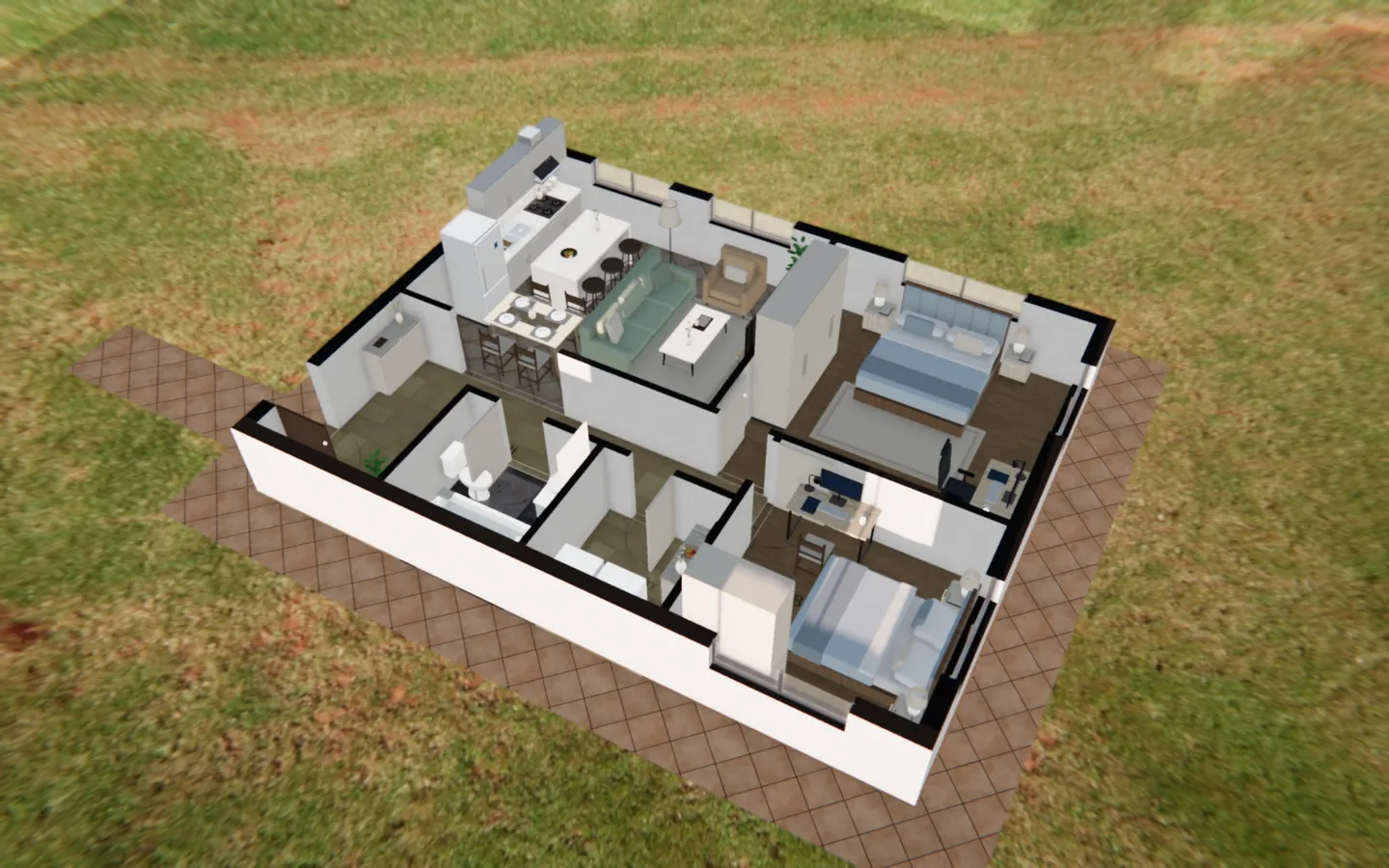
A floor plan shows the layout but not the light. Unless there is a north arrow, you cannot tell which way the windows face, and even with one it is hard to picture how a sun angle, a window depth and a wall will combine on a given afternoon. This is where a 3D view with a real sun position helps.
Check morning and evening sun in 3D
- Open the free two-bedroom apartment sample; it needs no sign-up.
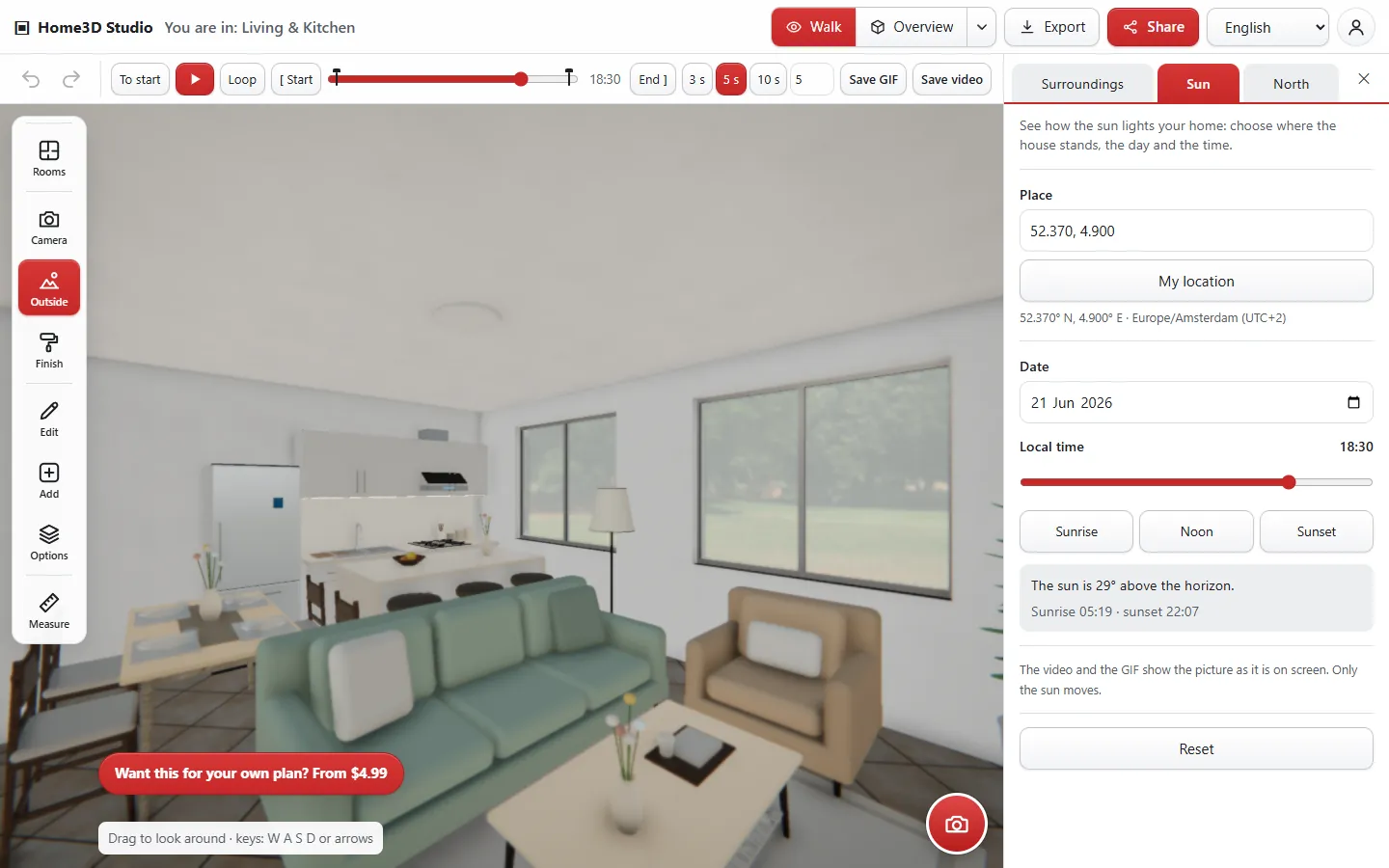
- Set Place in Outside > Sun to the city or coordinates so the sun's path matches that latitude.
- Set North to turn the plan until north matches reality; a compass app on your phone can show it.
- Set Date to compare December and June, since the same room can change markedly between seasons.
- Set Local time to the hours you use the room.
- Use Walk to compare the bedroom and living room at morning and evening hours, then repeat in another season.
The result is only as accurate as these settings and the plan; the tool does not know neighbouring buildings or trees.
Try the sample free now, with every tool and no sign-up; at the time of writing, uploading your own plan costs 20 credits, with 50 credits from €4.99.
The Sun view also shows sun height and sunrise and sunset times. See The Sun tool for more detail.
What sunlight means in each room
- Living room and television: West-facing windows may brighten the room when you come home and warm it in summer; low sun can reflect on the screen.
- Bedroom: East-facing light can help an early riser but disturb a late sleeper without blackout curtains. A north-facing bedroom in the northern hemisphere stays darker and calmer.
- Kitchen and dining: Look for low sun across a worktop or dinner table and summer heat behind large glass.
- Work corner: Steady side light is easier on the eyes than sun on the monitor or in your face.
- Floors and fabrics: Strong direct sun can fade rugs, flooring and upholstery over time.
- Winter shade: A taller building across the street can block low winter sun from any room.
Evening light is a separate question: move the hour past sunset to see the home at dusk and at night, with the lamps on in the rooms. See Light through the day.
What the tool does not know
The Sun tool places the sun correctly for the place and the time and lets you see how it falls in the home. For the seasonal difference, see winter sun versus summer sun. It does not know what stands around the home. A neighbouring building, a hill, or large trees can block the sun in real life even when the tool shows it shining in. Treat the result as the best case, and check the surroundings during a visit.
It also cannot see clouds, so a sunny result means the sun is in the sky, not that the day will be sunny.
A short routine for choosing a home
- Find out which way the main windows face.
- Set the place and north in the Sun tool.
- Check three days: midsummer, midwinter, and the day you move in.
- For each, check morning, noon and evening in the rooms you use most.
- Share the link with the people you are choosing with. The link carries your place, date and hour, so they see exactly what you saw. See Share, embed and downloads.
A short light check before committing helps you ask about the rooms you will use most. Confirm the view and surrounding shade in person.
Frequently asked questions
How can you tell which way a flat’s windows face?
A floor plan shows the layout but not the light, and without a north arrow you cannot tell which way the windows face. Ask for the orientation, or in the Sun tool set North until the plan matches reality; a compass app on your phone can show the direction. Then check each main window.
Which rooms get morning sun and which get evening sun?
Roughly, an east-facing window gets morning sun and a west-facing window gets afternoon and evening sun. A window facing away from the sun’s side of the sky gets soft light without much direct sun. A room with windows on two sides is usually the brightest and the most pleasant.
Does the Sun tool show shade from neighbouring buildings and trees?
No. It places the sun correctly for the place and time, but it does not know what stands around the home, so a building, hill or large tree can block the sun in real life. It also cannot see clouds. Treat the result as the best case and check the surroundings during a visit.
Which days should you check the sunlight on?
Check three days: midsummer, midwinter and the day you move in. For each one, look at morning, noon and evening in the rooms you use most. The same room can flood with sun in December and stay in shade in June, so one viewing in one season is not enough.
Can you see the home after sunset?
Yes. Move the hour past sunset to see the home at dusk and at night, with the lamps on in the rooms. The Sun view also shows sun height and sunrise and sunset times. Evening light is a separate question from daytime sun, so check it as well as the morning and noon hours.
Can you share a sunlight check with the people you are choosing a home with?
Yes. Share the link and it carries your place, date and hour, so they see exactly what you saw. Trying the sample is free with every tool and no sign-up. Your own plan costs 20 credits, and a pack of 50 credits is €4.99, at the time of writing.
See it in 3D
Open a sample design and walk through it, check the sun, set the hour and watch the lamps come on. It is free, in your browser, with nothing to install.
Or open a sample directly: 1920s teacher's cottage · Two-bedroom apartment